Note: This post was automatically migrated from Markdown to Typst using AI. Read more about the migration process here. Contact me if something in this post is off and bothering you.
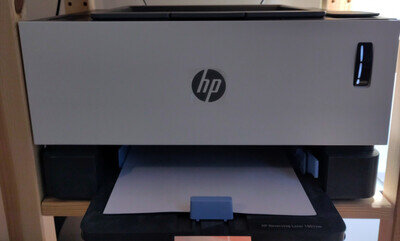
HP Neverstop Laser 1001nw Factory Reset
Why?
Why is this blog post necessary?
2 Reasons:
Embedded Web Server bugs
When setting a password on the 1001nw embedded web server, there is a good chance you will lock yourself out forever. While the exact reason is unclear to me, I advise you to set a password with less than 14 characters.
Using my password manager I set a 32 char password and was immediately locked out of the printers admin settings.
Bad documentation
While a bug like that is not nice, it would be a quick fix if the printer had a well documented way of resetting it to factory settings.
Unfortunately you can pull out whatever internet searching skills you have and probably still not find the correct solution. As a user from HP support forums put it: “Resetting a printer is HP’s best guarded secret”.
>Edit: >Turns out there are more reasons, as someone recently emailed me about this post with a nice thank you and the info that this also helped them when switching to a new router.
Well, thats just dumb so here is how you do it.
- Turn off printer
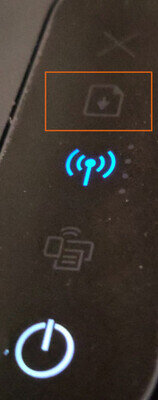
- Press and hold
continue button(see picture below) -
Turn on the printer and keep holding the
continue buttonfor around a minute.- the alert exclamation mark will turn yellow
- Release the continue button, the printer will restart with fresh settings
At this point you should be able to set a new password and use your printer normally again.
Thanks HP